

How to Check Your SARS Tax Number Using Your ID Number via SMS
To check your SARS tax number via SMS, send TRN, followed by a space and your ID number, to 47277 from the cellphone number registered with SARS. This requests your existing tax registration information. It is not an application for a new tax number, and you do not need to know your tax number before making the request.
Table of Contents
The message format is:
TRN [your ID number]
Replace the bracketed words with your own identity number. Do not include the brackets or type the words “your ID number”. SARS publishes this format on its official tax-number help page. South African Revenue Service
If you only need the sending instructions, you can use them now. The rest of this guide explains how to prepare the request, avoid common mistakes, obtain proof of registration and deal with a missing or unsuccessful response.
Information checked: 24 September 2026. This guide covers South African personal income tax administration. It does not determine your individual tax liability or filing obligations.
What the SARS SMS Service Can Help You Retrieve

This service is useful when you are already registered but cannot find your tax reference number. You might need it for employment paperwork, your personal records or a separate enquiry with SARS.
SARS identifies the request as a way to obtain your Notice of Registration, also called an IT150. Its IT150 help page confirms the SMS command and lists other ways to obtain the notice. sars.gov.za
Keep the distinction between a number and a document in mind. A form may ask you to enter your tax number, while an employer may ask you to upload proof of registration. Read the requirement before deciding that a text message alone completes the task.
For example, suppose a payroll administrator sends you an onboarding checklist. One line asks for your tax reference number; another asks for supporting documents. Check whether the registration notice belongs among those attachments rather than assuming that filling in the number field is enough.
Also avoid confusing your personal number with an employer reference appearing on employment paperwork. Use a document that clearly identifies you and the relevant reference.
What You Need Before Sending the SMS
SARS’s Guide to Mobile Tax Services says to use the cellphone number registered with SARS. It also explains that missing or incorrect identifying information can prevent a request from being processed. South African Revenue Service
Before composing the message, check these practical details:
- You are using your own identity information.
- The cellphone number you are sending from is the appropriate registered number.
- You can read your ID clearly enough to enter it accurately.
- Your phone can connect to its mobile network.
- You know where to find incoming SMS messages.
- You can access your registered email if correspondence is delivered there.
If your phone has two SIM cards, check which one is selected for the outgoing message. The SIM you use for mobile data may differ from the one used for SMS.
Do not use a family member’s phone merely because it has a stronger battery or a larger screen. If you need help reading the instructions, they can assist while you keep control of your own device and information.
Keep the process private. There is no need to send your ID number to a blogger, post it in a comment section or share it with someone who promises to check the number for you.
How to Check Your SARS Tax Number via SMS: 5 Steps
Step 1: Open Your Phone’s SMS Application
Open the application you normally use to send text messages and start a new message.
Use the SMS service for this request. You do not need to open a browser, log in to eFiling or start a WhatsApp conversation to send the command.
If your phone combines several types of messaging in one application, make sure the message is being sent as an ordinary text to the short number below. Avoid adding a photograph or other attachment.
Step 2: Enter 47277 as the Recipient
Type 47277 into the recipient field.
Check the digits before adding personal information. The recipient field is where the destination goes; it is separate from the message box where you enter your request.
Do not substitute the SARS Contact Centre telephone number. Different channels use different numbers, and a number suitable for a voice call is not automatically the destination for this SMS command.
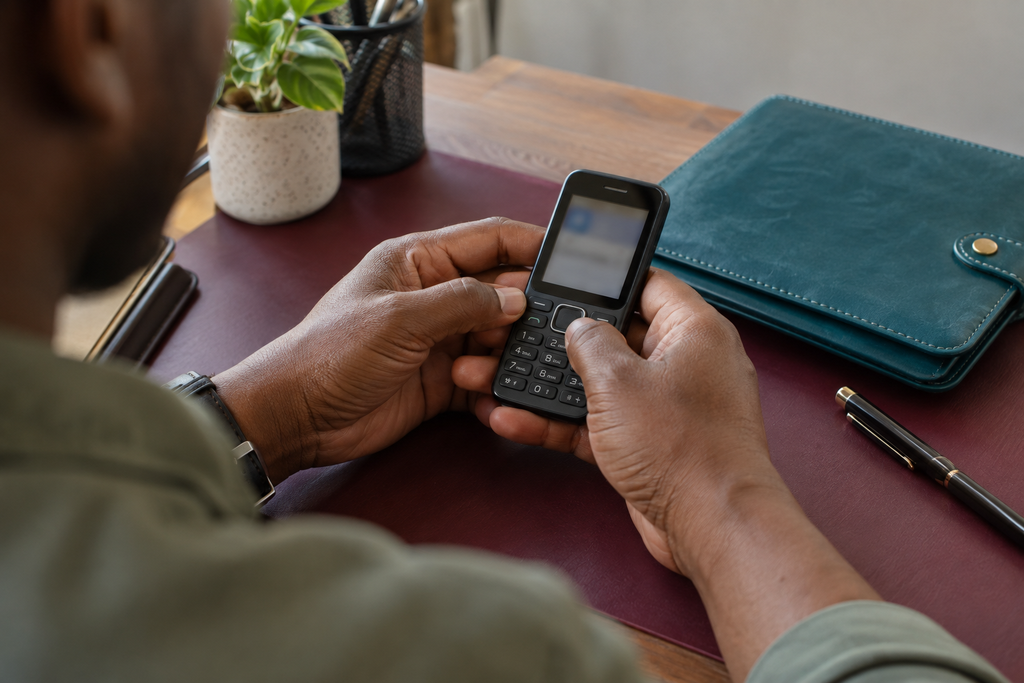
Step 3: Type the Request in the Correct Format
In the message box, type TRN, press the space bar once and enter your ID number.
Your completed message should contain the service keyword and your identity number. Do not add a greeting, an explanation of your circumstances or a list of other requests.
The following examples show the structure without publishing a real identity number:
| Message structure | What to do |
|---|---|
| TRN followed by one space and your actual ID number | Use this structure |
| TRN followed by the words “my ID number” | Replace the words with your actual number |
| Your ID number without TRN | Add the service keyword and separating space |
| TRN followed by several different people’s numbers | Send only your own request |
| A paragraph explaining that you forgot your number | Use the prescribed command instead |
Read the message from beginning to end before sending. Check the number against your identification document rather than relying on memory if you are uncertain.
Step 4: Send One Request
Send the message once you have checked the destination, format and sending SIM.
If your phone displays a sending error, address that first. An unsent message and a request that SARS cannot verify are different problems.
Avoid sending a series of slightly different versions without reviewing what happened. Keeping one clear request makes it easier to understand a reply and explain the issue if you need assistance.
Step 5: Read the Response and Follow the Next Instruction
Read the full response rather than looking only for a number.
The reply may provide information or explain a problem that needs attention. Where a document is issued by email, check the account connected to your SARS records, including its spam folder.
Do not assume every number in a reply is your tax reference number. Check the surrounding wording so you do not copy a case reference or another identifier into an employment form.
Once you have the correct information, save it privately and obtain the registration notice if the organisation requesting it requires documentary proof.
Is the SARS Tax Number SMS Free?
Yes. SARS describes its SMS service to 47277 as free. Its self-service guidance includes requesting a tax number among the available free SMS services. South African Revenue Service
The Mobile Tax Services page also states that the relevant SMS services can be accessed with or without data or airtime. South African Revenue Service
However, sending the text and opening an emailed document are separate activities. Accessing an email account or downloading a file requires an internet connection, such as Wi-Fi or mobile data.
For a reader managing a limited data budget, this distinction matters. You can begin with the SMS request and arrange internet access later if you need to download correspondence.
A free service still requires a working connection to the appropriate mobile network. If the phone cannot send the message, check its signal and sending settings rather than assuming you must pay an intermediary to obtain your number.
Can You Use a Passport or Asylum-Seeker Number?
SARS’s published SMS format includes an ID number, passport number or asylum-seeker number. Use the identification associated with your SARS record. South African Revenue Service
Enter one relevant identifier after the service keyword. Do not combine your passport number and an ID number in the same message in the hope that one will work.
If you have changed identification documents and are uncertain which details SARS holds, seek assistance before repeatedly submitting different information.
The availability of a retrieval method does not establish your eligibility for a particular first-time registration route. Retrieving an existing record and creating a new registration remain separate tasks.
What Happens If SARS Does Not Reply?

Start by determining whether your phone sent the message successfully. This prevents you from treating every delay as a problem with your tax registration.
Check Whether the Message Left Your Phone
Look for an unsent-message indicator or a sending error in your SMS application.
If the message failed locally, check the signal and the selected SIM. If other ordinary messages also fail, your mobile provider may need to help with the sending problem.
Do not change advanced message settings based on an unfamiliar online instruction unless you understand the effect or your provider has directed you to do so.
Review the Exact Message You Sent
Open the sent message and compare it with the required structure.
Look for a missing space, an incomplete number or extra wording. If you identify a clear error, correct it before trying again.
Use your actual identity document for this check. Reading the same mistaken number from a note and entering it again will not fix the underlying error.
Check Where Responses May Have Arrived
Review your ordinary inbox, filtered messages and relevant email account.
If you recently changed email addresses, checking only your new inbox may not tell you whether correspondence was sent to an older registered address.
Do not ask whoever now controls an old phone number to forward verification messages. Resolve the contact information through SARS.
Avoid Assuming a Specific Turnaround Time
The sources used for this guide do not establish a universal response time for every request. Do not plan around an unsupported promise that the process always finishes in a few seconds or minutes.
If you have an urgent deadline, try an appropriate official alternative and explain the delay to the person requesting the document. Repeated identical messages are not a reliable escalation method.
Troubleshooting an Unsuccessful Request
The table below suggests checks you can perform. These are practical diagnostic steps, not official error messages or guaranteed explanations.
| Problem | Useful check | Next action |
|---|---|---|
| Message remains unsent | Signal, sending SIM and SMS availability | Resolve the phone or network issue |
| Message was sent with incorrect information | Compare it with your ID and the prescribed format | Correct the specific error |
| Reply raises a verification problem | Identity details and registered contact number | Follow the response or seek SARS assistance |
| Reply refers to duplicate registration details | Whether SARS needs to resolve the record | Contact SARS rather than creating another registration |
| You receive information but no usable document | Whether an emailed notice or alternative download is needed | Check email or use an official document channel |
| Number is needed urgently for employment | Employer’s exact requirement and deadline | Explain the delay and ask what they will accept |
SARS’s mobile guide specifically warns that duplicate identity or tax-reference details can prevent use of the SMS service until resolved. South African Revenue Service
Keep the wording of an error in a private note. If you ask for general help online, remove your ID number, tax number, email address and other personal details from screenshots first.
What If Your Registered Cellphone Number Has Changed?
A correctly formatted request may still leave you needing help if your contact records are outdated. Changing the SIM in your phone does not itself update SARS’s information.
Start by identifying what you can still access:
- Can you log in to eFiling?
- Do you control the registered email account?
- Did only your cellphone number change?
- Have both contact methods changed?
For registered eFilers who are South African citizens, SARS explains an option to update inaccessible security contacts from the login page using biometric verification. See its guidance for changed cellphone and email details.
The same guidance directs non-citizens and people who cannot pass the biometric process to official assistance. South African Revenue Service
Explain whether your problem concerns login security details, registered contact information used for correspondence or both. Do not assume that fixing access to one service has corrected every relevant record.
What If You Have Never Registered for Tax?
The TRN SMS request retrieves existing registration information. It does not replace first-time personal income tax registration.
If you are unsure whether you already have a number, check before starting a new registration. You may have dealt with SARS previously without retaining the paperwork.
SARS’s registration guidance explains the available routes. It also describes how an employer can register employees through the appropriate service. South African Revenue Service
A more recent SARS announcement about online registration confirms that individuals can submit a registration request through the SARS Online Query System. sars.gov.za
Choose the route suitable for your identity documents and circumstances. If an employer requests your number, explain whether you are retrieving an existing record or need to complete registration. Those situations can require different assistance.
Alternatives If the SMS Route Does Not Resolve Your Request
Use the SARS Online Query System
The SARS Online Query System guide describes the What’s My Tax Number? enquiry for registered taxpayers.
You can choose email or SMS delivery. The information goes to contact details already held by SARS, so this route does not bypass an outdated-contact problem. Update those details through the appropriate official process when needed. South African Revenue Service
This is useful if you prefer entering information into an online form, but do not assume it will send private information to any new address you type.
Obtain the Notice Through the MobiApp
SARS’s MobiApp registration guide explains that logged-in users can select Notice of Registration (IT150) under My Services and download the document. South African Revenue Service
If you already use the app, this may avoid switching between channels. Check the downloaded file before sending it onward.
Check eFiling
SARS’s Client Information System guidance identifies SARS Registered Details as the menu for requesting an IT150 through eFiling. South African Revenue Service
Use your own secure access. A lost password is an account-recovery issue; it is not a reason to give your credentials to someone offering a shortcut.
Try WhatsApp or USSD
SARS also offers WhatsApp at 0800 11 7277 and USSD at *134*7277#. Its tax-number help page provides these alternatives. South African Revenue Service
Choose the relevant tax-number service and complete the prompts.
For a detailed walkthrough of the WhatsApp route, read our guide to getting your SARS tax number on WhatsApp.
Speak to SARS
For unresolved record or verification problems, contact SARS on 0800 00 7277.
Describe the request, the sending method and the response you received. Ask which official next step fits the issue instead of assuming a call can complete every type of correction. SARS explains that some updates require additional checks and cannot be completed through the Contact Centre. South African Revenue Service
Keep the Request Safe
Your ID number belongs in the authorised request, not in public comments or messages to strangers offering assistance.
SARS’s scams and phishing guidance warns against sharing passwords, OTPs, banking PINs and eFiling credentials through messages or calls. South African Revenue Service
A request for tax registration information should not become an excuse for somebody to take control of your accounts. If a supposed helper requests your email password, stop and verify the process independently.
When an unexpected message includes a link, do not assume it is trustworthy merely because you recently contacted SARS. Open the official website independently if you need to check correspondence.
After receiving your notice, share it only through a verified channel with the organisation that needs it. Keep your own copy and avoid posting unredacted documents in recruitment groups.
Frequently Asked Questions
Can I Check My Number Without Logging In to eFiling?
Yes. The SMS request is a separate route and does not require you to log in to eFiling to send it. You still need to use the appropriate registered details and satisfy the service’s verification requirements.
Do I Need a Smartphone?
You need a phone capable of sending and receiving SMS for the text request. If you later need to open an emailed document, arrange access to a suitable internet-connected device.
Should I Put My Tax Number After TRN?
No. The published retrieval format asks for your identity number or the relevant alternative identification number. The purpose of the request is to obtain the tax information you do not have available.
Will the Request Tell Me Whether I Must Submit a Tax Return?
Do not use successful retrieval as an answer to a filing question. Registration information and return-submission obligations are different enquiries. Check the appropriate SARS guidance for your circumstances and tax year.
Does a Failed Request Prove I Am Not Registered?
No. Review the format, sending number and any response before reaching that conclusion. An unresolved mismatch needs clarification rather than an assumption that no registration exists.
Can I Use the Result for an Employer’s Form?
Use the confirmed tax reference number where that is requested. If the employer wants proof, supply the relevant registration notice. Ask for clarification if their instructions do not distinguish the two.
Conclusion
Send the correctly formatted request to 47277 using your SARS-registered cellphone number, then read the response carefully.
If the process fails, identify whether the problem concerns message delivery, entered information or your registered records. Obtain and retain the IT150 when you need documentary proof, and use an official assistance route for problems you cannot resolve yourself.