

How to Check If Your Employer Registered You for UIF in South Africa: 5 Ways
If you want to know how to check if your employer registered you for UIF in South Africa, you can check your employee declaration information through official UIF services or contact the Unemployment Insurance Fund directly on 0800 030 007. You can also use the Department of Employment and Labour’s UIF service channels to investigate whether your employment has been correctly declared. I recommend checking while you’re still employed instead of discovering a problem only when you need to claim UIF.
A UIF deduction appearing on your payslip is a good place to start, but it doesn’t necessarily tell you everything. Your employer also has responsibilities relating to declaring your employment and paying UIF contributions.
I’ll show you five practical ways to check, how much UIF should normally be deducted from your salary, what to look for on your payslip, and what you can do if your employer has been deducting UIF but your employment record appears to be missing.
Quick Answer: How to Check Your UIF Registration
If you only want the quickest answer, start with these options:
- Check your Employee Declaration Status through the official UIF/uFiling services.
- Use the Department of Employment and Labour’s available UIF service channels.
- Check your payslip for UIF deductions.
- Call the UIF on 0800 030 007 if you cannot verify your information.
- Visit a Department of Employment and Labour centre if the problem cannot be resolved remotely.
The official uFiling guidance states that employees can navigate to the Employment section to view their Employee Declaration Status.
Official external resource:
Check UIF/uFiling services – Department of Employment and Labour
This is particularly useful because employers are required to submit employee declarations containing employment information to the UIF.

Table of Contents
How to Check If Your Employer Registered You for UIF in South Africa
There isn’t only one way to check.
If I were trying to confirm my own employment record, I would start with the online employee declaration information. If that didn’t give me a clear answer, I would contact UIF directly rather than relying on an unofficial UIF checker.
Here are five methods you can use.
Method 1: Check Your Employee Declaration Status Online
One of the most useful checks is your Employee Declaration Status.
The official uFiling guidance states that an employee can navigate to the Employment section to view their declaration status.
Start at the official UIF/uFiling website:
Visit the official UIF/uFiling website
If you already have an employee account:
- Go to the official website.
- Sign in to your account.
- Navigate to the Employment section.
- Look for Employee Declaration Status.
- Review the employment information associated with your profile.
- Check whether your employer and employment period appear correctly.
Why does this matter?
Employers aren’t simply supposed to deduct UIF from salaries. Registered employers are required to submit employee returns.
According to official UIF guidance, those returns can include information such as your identification number, employment start date, salary details, period of employment, hours worked and termination information where applicable.
Read the official UIF guidance on employer declarations
This means your employee declaration information can help you determine whether your employment has actually been recorded.
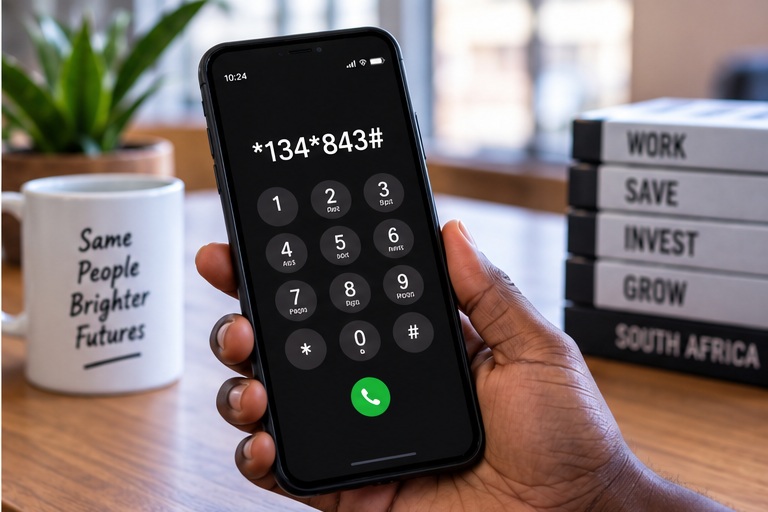
Method 2: Use Official UIF Digital Services
The Department of Employment and Labour has expanded the ways workers can access UIF services digitally.
Rather than entering your ID number into random websites advertising a “UIF status check,” use official Department of Employment and Labour channels wherever possible.
The Department’s official UIF contact page is available here:
UIF contact information – Department of Employment and Labour
If a digital option doesn’t provide enough information, move to the next method instead of assuming that you aren’t registered.
A missing result could require further investigation.
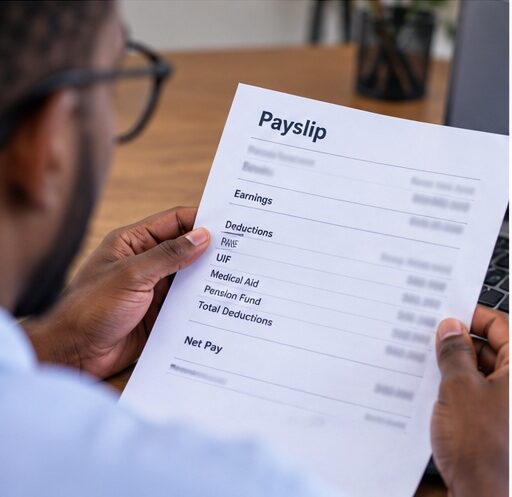
Method 3: Check Your Payslips
Your payslip is another useful piece of evidence
Look under the deductions section for something labelled:
UIF
or similar wording.
For most contributing employees, the employee portion of UIF is 1% of UIF-applicable remuneration, subject to the contribution ceiling.
However, there is an important distinction.
A UIF deduction on your payslip shows that your employer has deducted an amount from your remuneration.
It does not, by itself, give you the full picture of whether your employment information has been correctly declared.
That’s why I recommend comparing your payslip with your employee declaration information.
Keep your payslips instead of throwing them away.
If there is ever a disagreement about how much UIF was deducted or when you worked for an employer, those documents could become useful evidence.
For the official contribution rules, see:
SARS – Unemployment Insurance Fund contributions
Method 4: Contact UIF Directly
If your records don’t make sense, contact UIF.
The Department of Employment and Labour currently lists the UIF Call Centre as:
0800 030 007
The Department also lists the following email contacts:
and for complaints:
You can verify the latest contact information directly on the Department’s website:
When making an enquiry, explain the problem clearly.
For example, instead of simply saying:
“My UIF isn’t working.”
Explain:
“My payslips show UIF deductions, but I cannot find the employment declaration for my current employer.”
That gives the person assisting you a clearer idea of what needs to be investigated.
Method 5: Visit a Labour Centre
If you cannot resolve the issue online or by phone, visiting a Department of Employment and Labour centre may be the next practical step.
This can be particularly useful when your employment information is missing, incorrect or needs to be investigated.
I recommend taking relevant documents with you, including:
- Your South African ID
- Recent payslips
- Employment contract or appointment letter
- Employer details
- Evidence of UIF deductions
- Employment start date
- Termination documents if your employment has ended
- Any UIF reference or case numbers you already have
- Relevant correspondence with your employer
You may not need every document for a simple enquiry, but having a proper employment record can make it easier to explain the problem.
How to Check UIF Registration With Your ID Number
Your South African ID number is an important part of your UIF employment record.
The official uFiling employee registration guidance states that employees need a valid 13-digit South African ID number, an email address and a cellphone number when activating an employee account.
You can read the official requirements here:
UIF employee account requirements
If you are trying to verify your UIF information, use your ID details only through legitimate government services.
This is particularly important because your ID number is sensitive personal information.
I would avoid any unknown website promising an instant “UIF check with ID number” if it asks you to enter personal information.
Check the domain carefully.
The official uFiling website uses the Department of Employment and Labour domain:
ufiling.labour.gov.za
The UIF also advises users to check that the website connection is secure when accessing uFiling.
How Do I Know If My Employer Is Paying UIF?
Start with your payslip, but don’t stop there.
You need to understand the difference between a UIF deduction and your employer’s broader UIF obligations.
Your payslip may show that money has been deducted.
Your employer must also contribute its portion and comply with applicable UIF declaration and payment requirements.
According to the official UIF employer guidance, registered employers must submit employee returns containing details of employees for the relevant period.
Those details include information such as:
- Employee identification number
- Employee start date
- Salary information
- Employment period
- Hours worked
- Termination date where applicable
- Reason for termination where applicable
See what employers must declare to UIF
If UIF has been appearing on your payslip for months but your employment information doesn’t appear correctly in UIF records, investigate it.
I would first ask payroll or HR to confirm what information has been submitted.
If that doesn’t resolve the issue, contact UIF.
How Much UIF Should Be Deducted From My Salary?
For employees who are required to contribute, the standard UIF contribution is 2% in total:
- 1% contributed by the employee
- 1% contributed by the employer
This does not mean your employer should simply deduct 2% from your salary.
Your contribution is normally 1%, while your employer contributes the other 1%.
SARS currently states that the maximum earnings ceiling used for UIF contribution calculations is R17,712 per month, or R212,544 annually.
That means an employee earning above the monthly ceiling has their contribution calculated using the ceiling rather than their entire salary.
The current maximum employee contribution is therefore:
R177.12 per month
You can verify these figures through SARS:
SARS official UIF contribution information
UIF Deduction Example
Suppose your UIF-applicable remuneration is:
R10,000 per month
Your employee contribution would generally be:
R10,000 × 1% = R100
Your employer would contribute another:
R100
The combined UIF contribution would therefore be:
R200
But only your R100 employee portion would normally come from your remuneration.
What If I Earn R20,000?
The contribution isn’t simply calculated on the entire R20,000 under the current ceiling.
The current UIF earnings ceiling is R17,712 per month.
Your maximum employee contribution would therefore currently be:
R177.12
SARS confirms this ceiling and maximum deduction.
What Should UIF Look Like on My Payslip?
Payslip designs differ between employers, so don’t expect every company to display UIF in exactly the same way.
Look under deductions.
You may see:
UIF
followed by the amount deducted.
For example, if your UIF-applicable remuneration is R8,000:
R8,000 × 1% = R80
You might therefore see a UIF deduction of approximately:
R80
The exact calculation can depend on what counts as remuneration for UIF purposes, so don’t automatically assume a payroll error based only on your gross salary.
If something looks significantly wrong, ask payroll to explain the calculation.
What If My Employer Deducts UIF but Hasn’t Registered Me?

If UIF appears on your payslip but your employment information seems to be missing, don’t ignore it.
I would take the following steps:
- Save every payslip showing UIF deductions.
- Keep your employment contract.
- Record your employment start date.
- Ask payroll or HR to confirm your UIF registration and declarations.
- Check your employee declaration information through official UIF services.
- Contact UIF if the employer cannot resolve the discrepancy.
- Escalate unresolved compliance concerns through the Department of Employment and Labour.
The official UIF guidance confirms that registered employers must submit employee returns.
Read the UIF employer declaration requirements
Keeping evidence matters.
If you’ve worked for an employer for two years, you don’t want to rely entirely on memory when trying to establish what happened to your UIF records.
Can I Claim UIF If My Employer Never Registered Me?
Don’t automatically assume that an employer’s failure to register or correctly declare you means you have no options.
But I also wouldn’t tell anyone that a UIF claim is guaranteed.
UIF eligibility depends on the applicable rules, your employment circumstances, your employment/contribution history and the information available to the Fund.
If your employer appears to have failed to register or declare you correctly, contact UIF and explain what happened.
Gather evidence such as:
- Payslips
- Employment contract
- Appointment letter
- Bank statements showing salary payments
- Proof of UIF deductions
- Employer information
- Termination documents where relevant
- Correspondence with your employer
Let UIF assess your individual case.
For official assistance, use the Department’s UIF contact information:
Contact the Unemployment Insurance Fund
How to Report an Employer for UIF Problems
If you believe your employer isn’t complying with UIF requirements, collect evidence first.
Keep your payslips and employment documents.
Then contact the UIF.
UIF Call Centre: 0800 030 007
UIF email: uifcallcenter@labour.gov.za
Complaints: uifcomplaints@labour.gov.za
Verify UIF contact details on the Department of Employment and Labour website
Be specific when explaining the problem.
Provide dates, employer information and supporting evidence when requested.
For example:
“My employer has deducted UIF from my salary since February, but my employment declaration does not appear to reflect correctly.”
A clear description makes it easier for the relevant official to understand what you’re reporting.
Documents I Recommend Keeping
UIF problems are much easier to investigate when you have evidence of your employment.
I recommend keeping:
- Employment contract
- Appointment letter
- Payslips
- Employer name and details
- Salary records
- Bank statements showing salary payments
- Employment starting date
- Employment termination date
- Termination letter
- UIF correspondence
- UIF case/reference numbers
- Relevant communication with HR or payroll
You don’t need all of these documents simply to perform a UIF registration check.
They’re useful if something goes wrong.
I would keep electronic copies as well as important originals.
Who Needs to Contribute to UIF?
UIF doesn’t apply identically to every working arrangement.
SARS explains that employers who are liable for UIF must contribute monthly for applicable employees.
There are exclusions under UIF legislation.
This means you shouldn’t assume that every person who performs any work whatsoever must have UIF deducted in exactly the same way.
If you’re uncertain whether UIF should apply to your particular employment arrangement, use official SARS and Department of Employment and Labour guidance.
Why Your Employee Declaration Matters
A UIF deduction is only one part of the picture.
Employers submit employee returns containing employment information.
The UIF states that these returns can include your:
- Identification number
- Employment start date
- Salary details
- Period of employment
- Hours worked
- Termination date
- Termination reason
Your employment declaration history can therefore become important when UIF needs to assess your employment information.
This is why I recommend checking your information before you urgently need to claim.
If you find an incorrect start date or missing employer while you’re still employed, you have more time to ask payroll questions and try to resolve the problem.
UIF Online vs uFiling: What Changed?
This is where older online articles can cause confusion.
The UIF launched a newer employee claims platform called UIF Online on 1 April 2025.
Then, on 20 May 2026, the legacy uFiling employee claims portal was officially closed.
The Department of Employment and Labour has explained that the employee claims portal and employer portal are separate components.
The employer side of uFiling continues to perform functions relating to declarations and contributions.
The current uFiling website itself displays a notice saying that employee benefit claims are no longer processed through uFiling and directs benefit applicants to UIF Online.
Read the Department’s official explanation of UIF Online
This distinction is important.
If you’re trying to claim employee UIF benefits, follow the current UIF Online instructions.
If you’re checking employment declarations or dealing with employer contribution information, you may still encounter uFiling.
Don’t automatically follow an old tutorial simply because it ranks on Google.
Government systems change.
Protect Yourself From Fake UIF Websites
UIF-related searches can involve sensitive personal information.
Your:
- ID number
- Banking information
- Phone number
- Email address
- Employment information
can all be valuable to scammers.
If a website asks for sensitive information, check whether you’re actually on an official government service.
The official uFiling security guidance says users should check the website address and secure HTTPS connection.
Read the official uFiling security guidance
Never give someone your password because they claim they can “speed up” your UIF registration or claim.
If you’re unsure, contact UIF yourself.
Frequently Asked Questions
How do I check if I am registered for UIF?
Check your Employee Declaration Status through official UIF/uFiling services. You can also contact UIF on 0800 030 007 if you cannot confirm your employment information online.
Visit the official UIF/uFiling website
Can I check UIF using my ID number?
Your South African ID number is used as part of UIF employee identification and account processes. Use your ID only through official government channels and avoid entering it into unknown websites advertising UIF checks.
How do I check my UIF contributions?
Check your payslips for UIF deductions and compare this with your employment declaration information where available. If the records don’t match, ask your employer for clarification and contact UIF.
Can I check UIF without visiting a Labour Centre?
Yes. Start with the official online UIF/uFiling services or contact the UIF Call Centre on 0800 030 007. Visit a Labour Centre if the issue cannot be resolved remotely.
How do I know whether my employer pays UIF?
A UIF deduction on your payslip is useful evidence, but check your employment declaration information as well. Employers are required to submit employee returns and comply with applicable UIF contribution requirements.
What happens if my employer deducts UIF but doesn’t pay it?
Keep your payslips and other employment evidence. Ask your employer to explain the discrepancy and contact UIF or the Department of Employment and Labour if the problem isn’t resolved.
Can I claim UIF if my employer didn’t register me?
Don’t assume that an employer’s failure automatically determines whether you can receive benefits. Contact UIF, explain your circumstances and provide evidence of your employment. The Fund must assess your eligibility according to the applicable rules.
How much UIF should be deducted from my salary?
The employee contribution is generally 1% of UIF-applicable remuneration, subject to the contribution ceiling. Your employer contributes another 1%.
What is the maximum UIF deduction?
Under the current SARS contribution ceiling of R17,712 per month, the maximum employee UIF contribution is R177.12 per month.
Verify current UIF contribution limits with SARS
Can my employer deduct 2% UIF from my salary?
The standard total contribution is 2%, but it consists of 1% from the employee and 1% from the employer. The employer’s portion is not simply an additional employee deduction.
Why doesn’t my employer appear on my UIF record?
There could be a declaration problem, incorrect personal information, processing issue or another discrepancy. Ask payroll to confirm the information submitted and contact UIF if necessary.
Where can I report a UIF problem?
Contact the UIF Call Centre on 0800 030 007 or use the official Department of Employment and Labour contact channels.
Final Word
If you’re wondering how to check if your employer registered you for UIF in South Africa, don’t wait until you’ve lost your job to investigate.
Check your Employee Declaration Status through official UIF services, compare the information with your payslips and contact UIF if something doesn’t match.
The most important thing is to use official government channels and keep evidence of your employment.
Finding and correcting a UIF record problem while you’re still employed can be far easier than discovering it when you urgently need to submit a claim.