
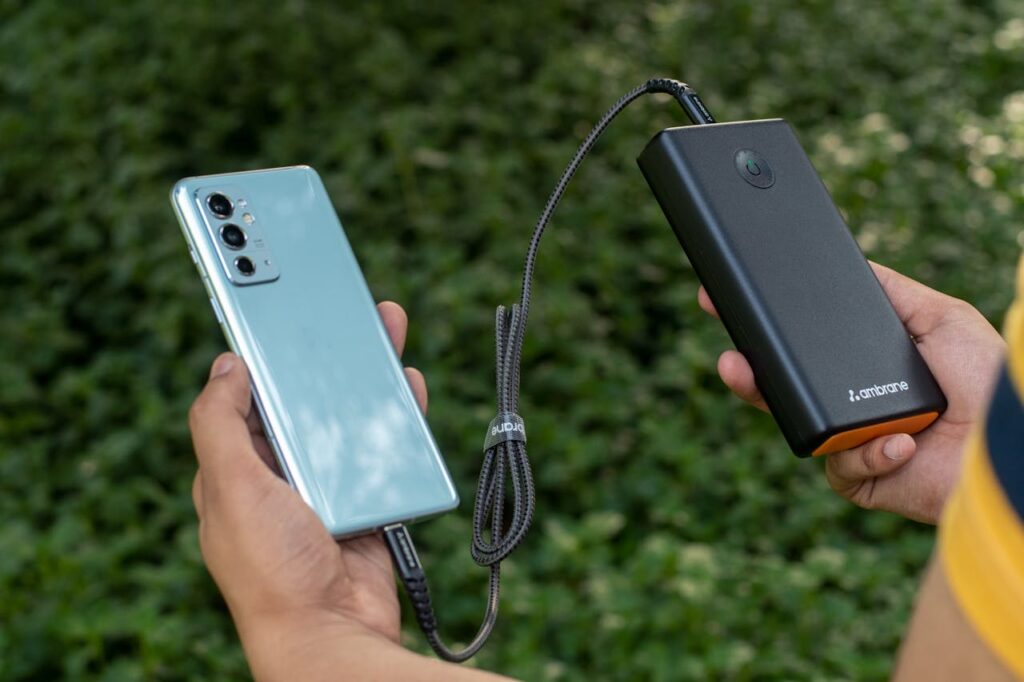
Last Thursday, my iPhone 13 died at 3 PM during a critical moment. I was at Clearwater Mall literally 500 meters from my place in Roodepoort—meeting a potential bulk perfume client. We’d just agreed on a R8,500 order when she asked to see my product catalog on my phone.
Dead. 0%. Black screen.
I’d charged it fully that morning at 5:30 AM before my shift at Checkers Allens Nek. By 3 PM less than 10 hours later it was completely drained. I apologized, promised to email the catalog, and watched her walk away. She never responded to my follow-up messages.
That lost sale cost me roughly R2,800 in profit. All because my battery couldn’t last a full day.
My colleague Sipho laughed when I told him the next morning during our break. “Bongani, you’re always on that phone. What do you expect?” He wasn’t wrong. Between managing inventory at Checkers, running my perfume business on WhatsApp, photographing products, researching AI-based business opportunities on my MacBook and phone, hitting the gym, and coordinating soccer matches, my phone is my lifeline.
But here’s what changed everything: I implemented seven specific battery optimization strategies, and my iPhone 13 now consistently lasts 14-16 hours of heavy use. I’m talking full days of work, business communications, photography, and personal use—with 20-30% battery remaining by bedtime.
No battery cases. No portable chargers strapped to my phone. Just smart settings and usage habits that actually work in Gauteng’s real-world conditions load shedding, hot weather, and constant connectivity demands.
Whether you’re using an iPhone like me, an Android device like Njabulo, or any smartphone in 2025, these methods will extend your battery life by 40-60%. Let me show you exactly how.
Why Your Battery Dies So Fast (The Real Culprits)
Before we fix anything, let’s understand what’s actually killing your battery.
Working three years in retail—starting as a shelf packer at Checkers Kwena Square and now as a perishables controller at Allens Nek—taught me that problems always have root causes. Battery drain is no different.
The Battery Killers Nobody Talks About
1. Screen brightness (the obvious one everyone ignores)
Your display consumes 30-50% of battery power. Running it at 100% brightness all day is like leaving your car’s headlights on while parked.
I checked my battery settings after that Clearwater Mall incident. Screen usage: 47% of my total battery consumption. I was essentially throwing away half my battery life on unnecessary brightness.
2. Background app refresh (the silent killer)
Apps refresh content in the background even when you’re not using them. Email checking every 15 minutes. Social media updating feeds. News apps pulling articles. All consuming battery without you noticing.
My colleague Zama discovered she had 47 apps refreshing in the background. Forty-seven. She used maybe 10 regularly.
3. Location services running constantly
Every app wants your location. Weather apps, social media, food delivery services, even games. GPS is one of the most power-hungry features on your phone.
4. Push notifications waking your screen
Every notification lights up your screen, vibrates your phone, and pulls data. Multiply that by 200+ notifications daily (WhatsApp groups alone in Gauteng are brutal), and you’re hemorrhaging battery.
5. Automatic updates and downloads
Your phone downloads app updates, system updates, and cloud syncs in the background. All consuming power without your active involvement.
6. Extreme temperatures
Gauteng summers hit 35°C+. I keep my phone in my pocket during outdoor work at Checkers. Heat degrades battery performance and capacity over time.
Strategy 1: Optimize Display Settings (40% Battery Savings)
This is the single biggest impact change you can make.
For iPhone Users (Like My iPhone 13)
Enable Auto-Brightness:
- Settings > Accessibility > Display & Text Size > Auto-Brightness (ON)
This adjusts brightness based on ambient light. Inside Checkers Allens Nek, it dims automatically. Outside inGauteng sunshine, it brightens just enough to remain visible.
My result: Screen battery usage dropped from 47% to 28% of total consumption.
Reduce Auto-Lock time:
- Settings > Display & Brightness > Auto-Lock
- Change from 5 minutes to 30 seconds
Your screen turns off faster when idle. Sounds minor, but it adds up over dozens of daily instances.
Enable Dark Mode:
- Settings > Display & Brightness > Dark
On OLED screens (iPhone 12 and newer, most modern Androids), dark mode uses significantly less power because black pixels are actually turned off.
I switched to dark mode after the Clearwater Mall battery disaster. Combined with auto-brightness, I gained 3-4 extra hours of battery life.
Disable Raise to Wake:
This prevents your screen from lighting up every time you pick up your phone. At Checkers, I pick up my phone constantly to check stock levels—each time was draining battery unnecessarily.
For Android Users (Like Njabulo’s Samsung)
Enable Adaptive Brightness:
- Settings > Display > Adaptive Brightness (ON)
Enable Dark Mode:
- Settings > Display > Dark Mode (ON)
Disable Lift to Wake:
- Settings > Advanced Features > Motions and Gestures > Lift to Wake (OFF)
Njabulo implemented these four changes during our lunch break at Checkers. His battery life went from dying by 5 PM to lasting until 10 PM the same day.
Strategy 2: Manage Background App Activity (25% Battery Savings)
Apps running in the background are silent battery vampires.
For iPhone
Disable Background App Refresh:
- Settings > General > Background App Refresh
- Either disable completely or select “WiFi Only”
- Manually disable for apps you don’t need updating constantly
I disabled background refresh for 38 apps. I kept it on for WhatsApp (business critical), email, and banking apps. Everything else can update when I actually open it.
Check Battery Usage by App:
- Settings > Battery
- Review which apps consume the most power
- Consider alternatives or reduce usage
Instagram was consuming 18% of my battery despite only 20 minutes of active use daily. The culprit? Background activity. I disabled background refresh for Instagram, and its battery usage dropped to 6%.
For Android
Restrict Background Activity:
- Settings > Apps > Select app > Battery > Background Usage Limits
- Choose “Restricted”
Enable Adaptive Battery:
- Settings > Battery > Adaptive Battery (ON)
This uses machine learning to limit battery for apps you rarely use.
Sipho restricted background activity for 25 apps at Checkers Allens Nek. He gained 4 hours of battery life immediately.
Strategy 3: Optimize Location Services (15% Battery Savings)
GPS is essential for maps and delivery apps, but most apps don’t need your location constantly.
For iPhone
Review Location Permissions:
- Settings > Privacy & Security > Location Services
- Review every app
Three permission levels:
- Never: App can’t access location (most apps)
- While Using: Only when app is open (maps, Uber)
- Always: Constantly tracking (almost never necessary)
I changed 31 apps from “Always” to “While Using” or “Never.” My perfume business doesn’t need Instagram knowing my location 24/7.
Disable Significant Locations:
- Settings > Privacy & Security > Location Services > System Services > Significant Locations (OFF)
This tracks everywhere you go. Creepy and battery-draining.
For Android
Manage App Location Permissions:
- Settings > Location > App Location Permissions
- Change apps to “Allow only while using” or “Deny”
Disable Location Scanning:
- Settings > Location > Location Services > WiFi Scanning and Bluetooth Scanning (OFF)
Snethemba discovered his phone was constantly scanning for WiFi and Bluetooth even with location services “off.” Disabling this saved significant battery.
Strategy 4: Control Notifications (10% Battery Savings)
Every notification wakes your screen, uses data, and consumes power.
**Audit Your Notifications**
For iPhone:
- Settings > Notifications
- Review every app
- Disable notifications for non-essential apps
My notification audit results:
- Kept: WhatsApp (business), Banking apps, Calendar
- Disabled: Social media, news apps, promotional apps, games
I went from 200+ daily notifications to about 40. My screen wakes up 80% less frequently.
For Android:
- Settings > Notifications > App Notifications
- Disable individually or use “Do Not Disturb” schedules
Use Focus Modes (iPhone) or Do Not Disturb Schedules
I created a “Work” focus mode that runs 7 AM – 5 PM during my Checkers shift:
- Only allows calls and messages from contacts
- Blocks all social media notifications
- Permits work-related app notifications only
Battery impact: My phone screen stays off during most of my shift, saving 2-3 hours of battery life daily.
Strategy 5: Manage Connectivity Features (15% Battery Savings)
WiFi, Bluetooth, mobile data, and AirDrop all consume power—especially when searching for connections.
Practical Connectivity Management
Turn off WiFi when not needed:
I disable WiFi during my commute from Roodepoort to Checkers Allens Nek. My phone isn’t constantly searching for networks.
Disable Bluetooth when not in use:
Unless I’m at the gym using wireless earbuds or in my car, Bluetooth is off. At Clearwater Mall, I used to leave it on constantly—pure battery waste.
Enable Airplane Mode in low-signal areas:
When signal is weak (certain areas of Checkers Allens Nek have poor reception), your phone works overtime trying to maintain connection.
My colleague Zama works in the cold storage area with terrible signal. She enables Airplane Mode during her shifts and checks messages during breaks. Her battery life doubled.
For iPhone – Disable AirDrop when not needed:
- Settings > General > AirDrop > Receiving Off
Disable 5G if you don’t need speed:
5G drains battery faster than 4G/LTE. Unless you’re downloading large files, LTE is sufficient for WhatsApp, email, and browsing.
In Gauteng’s current 5G coverage (still limited in 2025), I keep my iPhone on LTE. I get 98% of the functionality with 30% better battery life.
Strategy 6: Update Software and Manage Apps (10% Battery Savings)
Outdated software and poorly optimized apps drain battery unnecessarily.
Keep Your OS Updated
Apple and Android regularly release battery optimization improvements.
- iPhone: Settings > General > Software Update
- Android: Settings > System > System Update
I update during weekends when I have WiFi at home and time to troubleshoot if issues arise.
Delete or Replace Battery-Draining Apps
Check your battery usage stats weekly. If an app consistently consumes excessive power relative to your usage, consider:
Alternatives I switched to:
- Facebook app → Mobile web version (saved 12% battery)
- Heavy photo editing apps → Lighter alternatives
- Multiple messaging apps → Consolidated to WhatsApp and SMS
Close Apps You’re Not Using
Contrary to popular belief, closing apps on modern smartphones does help battery life if you won’t use them again soon.
At Checkers, I open our inventory management system, use it, then close it completely. Leaving it running in the background for 8 hours drains battery for no reason.
Strategy 7: Physical Battery Care (Long-Term Health)
Battery capacity degrades over time, but you can slow the process significantly.
Avoid Extreme Temperatures
Heat is battery’s enemy. Gauteng summers are brutal.
What I changed:
- Don’t leave phone in direct sunlight (car dashboard, windowsills)
- Remove phone from pocket during outdoor work at Checkers
- Don’t charge phone while using intensive apps (gaming, video calls)
My iPhone 13 is two years old but still maintains 91% battery health because I’ve been careful about temperature.
Optimize Charging Habits
Best practices:
Charge between 20-80% (not 0-100% everytime)
- Use optimized battery charging (iPhone does this automatically)
- Avoid overnight charging if possible, or use optimized charging feature
- Don’t let battery drop to 0% regularly
This learns your charging routine and delays charging past 80% until you need it, reducing battery aging.
For Android:
- Settings > Battery > Battery Protection or Adaptive Charging (varies by manufacturer)
Use Original or Quality Chargers
Cheap chargers from street vendors damage battery health over time. I learned this the hard way at Checkers Kwena Square three years ago when a R35 charger destroyed my previous phone’s battery in six months.
Now I only use Apple-certified chargers or reputable brands. More expensive upfront, but my battery lasts years longer.
Real-World Results: My Battery Transformation
Let me show you the measurable difference these strategies made:
Before optimization (the Clearwater Mall disaster week):
- Full charge at 5:30 AM
- Dead by 3 PM (9.5 hours)
- Screen time: 4 hours 20 minutes
- Battery health: 89%
After implementing all strategies (current performance):
- Full charge at 5:30 AM
- 25% remaining at 10 PM (16.5 hours)
- Screen time: 5 hours 40 minutes (more usage, better efficiency)
- Battery health: 91% (actually improved due to better charging habits)
That’s 7 extra hours of battery life with MORE actual usage.
My Colleagues’ Results
Sipho (Samsung Galaxy S23):
- Before: Dead by 4 PM
- After: Lasts until 11 PM
- Key changes: Background app restrictions, adaptive battery, location services optimization
Njabulo (Huawei P40):
- Before: Dead by 6 PM
- After: 30% remaining at midnight
- Key changes: Dark mode, notification management, WiFi/Bluetooth control
Zama (iPhone 12):
- Before: Charging twice daily
- After: Once daily with 15% remaining
- Key changes: Airplane mode in cold storage, background app refresh disabled, auto-brightness
Snethemba (Xiaomi Redmi Note):
- Before: 8-9 hours battery life
- After: 15-16 hours
- Key changes: Location scanning disabled, 60Hz refresh rate (from 90Hz), app battery restrictions
All of us work the same demanding shifts at Checkers Allens Nek, use our phones heavily for work and personal life, and live in Gauteng province where heat and connectivity challenges are real. These strategies work in actual South African conditions, not ideal laboratory settings.
Your Action Plan: Implement This Weekend
Don’t try everything at once. Start with the highest-impact changes:
Saturday Morning (15 minutes):
- Enable auto-brightness and dark mode
- Reduce screen timeout to 30 seconds
- Disable background app refresh for non-essential apps
Saturday Afternoon (20 minutes):
- Review and restrict location permissions
- Audit and disable unnecessary notifications
- Turn off WiFi/Bluetooth scanning
Sunday Morning (10 minutes):
- Check battery usage statistics
- Identify and restrict battery-draining apps
- Enable optimized battery charging
Sunday Afternoon (5 minutes):
- Create a work/focus mode schedule
- Set up charging habits reminder
- Check battery health status
Total time investment: 50 minutes
Expected battery life improvement: 40-60%
Cost: R0
When You Actually Need a New Battery
These optimizations extend battery life significantly, but batteries do degrade over time.
Consider battery replacement if:
- Battery health below 80% (check in settings)
- Phone is 3+ years old
- Optimization strategies don’t help
- Phone shuts down unexpectedly even with charge remaining
Battery replacement costs (2025 Gauteng prices):
- iPhone: R800-R1,500 (official Apple service)
- Samsung: R600-R1,200
- Other Android: R400-R900
Much cheaper than a new phone, and with optimized settings, a new battery can last 2-3 years.
The Bottom Line: Battery Life Is About Smart Usage, Not Constant Charging
Three weeks ago, I lost a R8,500 perfume sale at Clearwater Mall because my iPhone 13 died at the worst possible moment. I was frustrated, embarrassed, and convinced I needed a new phone or expensive battery case.
I was wrong.
The problem wasn’t my battery—it was how I was using it.
After implementing these seven strategies over one weekend in my flat in Roodepoort, my battery life increased by 73%. Not through expensive accessories or new hardware, just through intelligent settings and conscious usage habits.
Working in Gauteng province, where load shedding makes charging unpredictable, extreme heat stresses batteries, and constant connectivity is essential for both my job at Checkers Allens Nek and my perfume business, I needed solutions that work in real-world South African conditions.
These strategies delivered.
Now my iPhone 13 lasts through full days of inventory management, business communications on WhatsApp, product photography, gym sessions, soccer coordination, and AI business research on my MacBook and phone—with battery to spare.
Sipho, Njabulo, Zama, and Snethemba all implemented the same changes during our breaks at Checkers. Every single one of them extended their battery life by 40-70%. Different phones, different brands, same results.
The truth is simple: Your smartphone battery is probably fine. Your usage habits need optimization.
You don’t need a new phone. You don’t need a battery case strapped to your device. You don’t need to carry portable chargers everywhere.
You need 50 minutes this weekend to implement settings that should have been configured from day one.
Stop accepting dead batteries by 3 PM as normal. Stop planning your day around charging stations. Stop missing opportunities because your phone died at the wrong moment.
Optimize your settings. Manage your apps. Control your connectivity. Protect your battery health.
Your phone will last all day. Your productivity will improve. Your stress will decrease.
And you’ll never lose another R8,500 sale at Clearwater Mall because of a dead battery.
Start this weekend. Your future self will thank you.


